
Download Steam ROM Manager – Open-Source, Bulk Game Addition, Custom Categorization, Automatic Cover Import
Overview
Steam ROM Manager (SRM) is a specialized tool developed for Windows users who seek to expand their Steam gaming experience by integrating ROMs and emulator-based games into their existing library. Designed with efficiency in mind, SRM addresses the common challenge of organizing large, diverse game collections from external sources. Its primary purpose is to streamline the process of importing, categorizing, and visually enhancing a wide array of games, reducing manual effort and minimizing errors. The application is particularly beneficial for retro gaming enthusiasts, collectors, and users with extensive emulator setups who want a unified interface for managing both native Steam titles and non-Steam games.
Target users include advanced hobbyists, modders, and individuals maintaining hybrid game libraries across multiple platforms. The tool is especially useful for those managing hundreds or thousands of ROMs from systems like NES, SNES, Sega Genesis, and others. By enabling bulk additions and automated cover fetching, SRM enhances usability without requiring deep technical knowledge. While the developer did not provide additional background details, the open-source nature of the application suggests a community-driven development model, fostering transparency and adaptability.
Real-world use cases include organizing a personal retro gaming archive, syncing emulator games with Steam’s interface for consistent access, and maintaining a clean, visually appealing library. In the broader app ecosystem, SRM fills a niche gap by offering a dedicated solution for Steam integration beyond official support, making it a valuable utility for niche but growing segments of the gaming community.
Key Features & Functionality
Steam ROM Manager delivers a suite of practical tools tailored to the needs of game collectors and retro enthusiasts. Each feature is designed to reduce friction in managing non-Steam games within the Steam environment.
- Bulk Game Addition: Users can import multiple ROMs or emulator games simultaneously, drastically cutting down the time required to add large collections. This is particularly effective when setting up a new library or migrating existing ROMs from external storage.
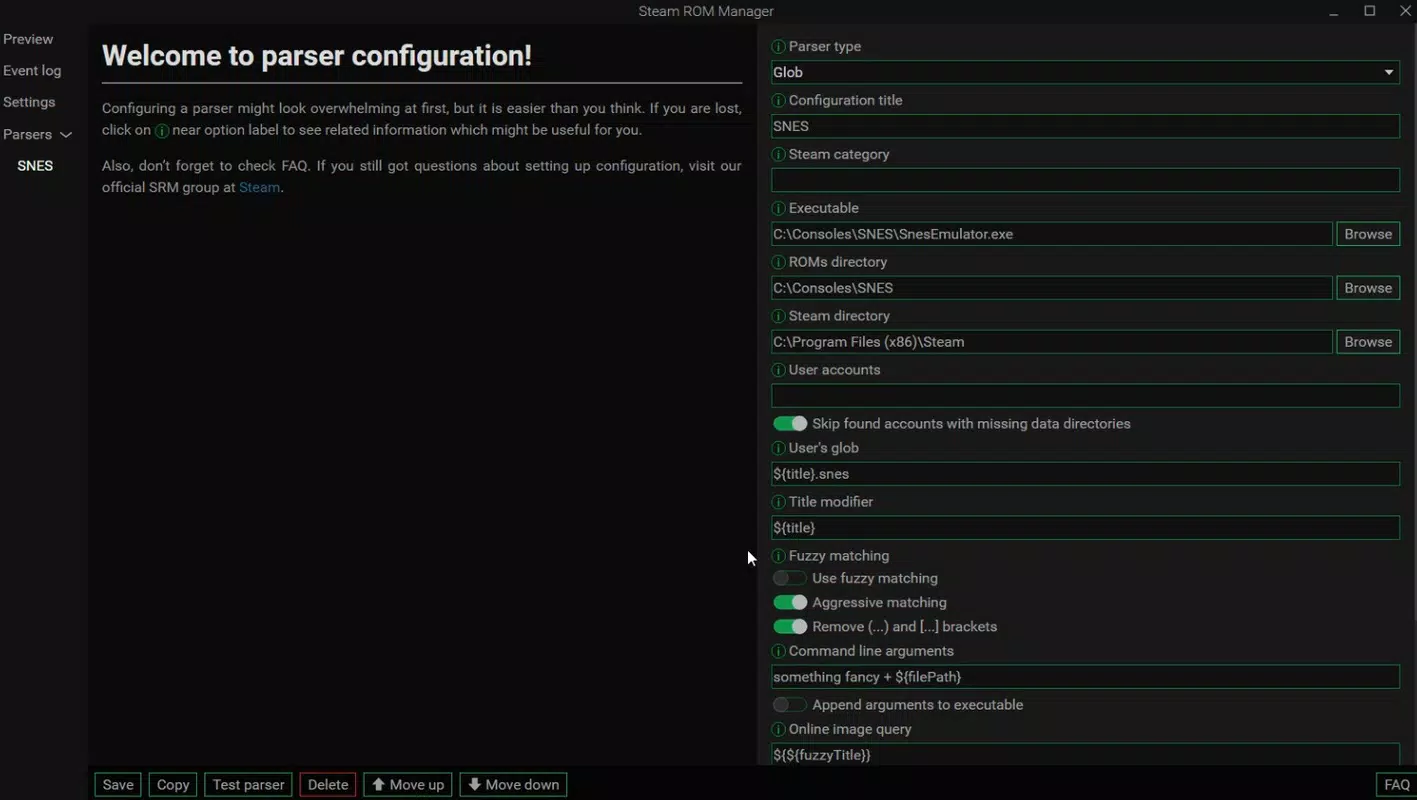
- Customizable Categorization: The app allows users to define custom directories for Steam and ROM files, enabling flexible organization. With support for custom parsers, users can tailor how games are grouped—by system, genre, or custom tags—without relying on default sorting methods.
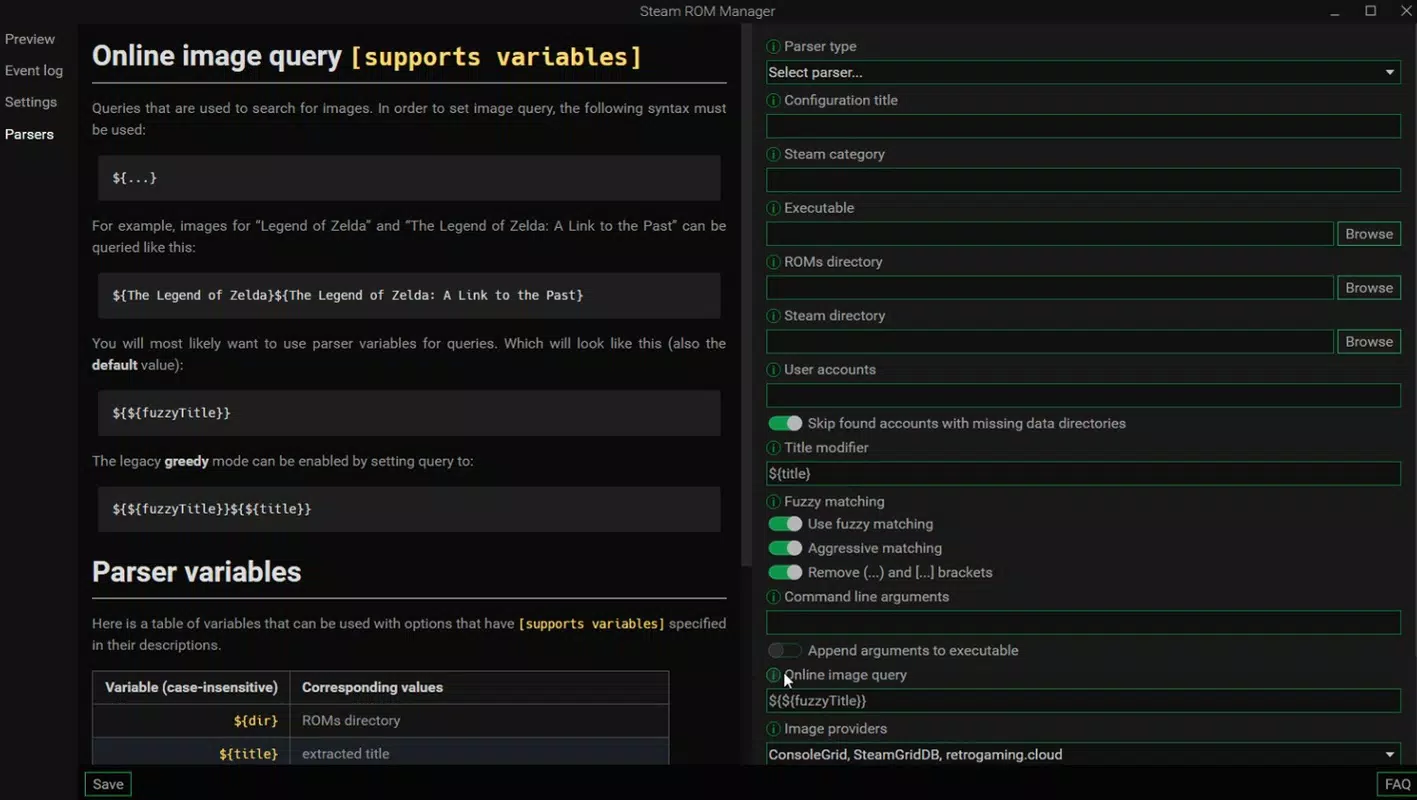
- Automatic Cover Import: SRM automatically downloads and applies game covers from online sources, enhancing visual clarity and making game selection more intuitive. This feature ensures that even non-Steam games appear consistent with Steam’s native library design.
- Open-Source Flexibility: As an open-source application, SRM allows users to inspect, modify, or extend its codebase. This promotes long-term sustainability and community-driven innovation, ensuring the tool evolves with user needs.
- User-Friendly Configuration: Despite handling complex tasks, the setup process is guided and accessible. Step-by-step instructions help users map directories, configure parsers, and initiate imports, lowering the barrier for entry for less technical users.
These features collectively empower users to create a cohesive, manageable, and visually rich gaming library, bridging the gap between Steam’s native ecosystem and external emulator content.
Interface, UX & Performance
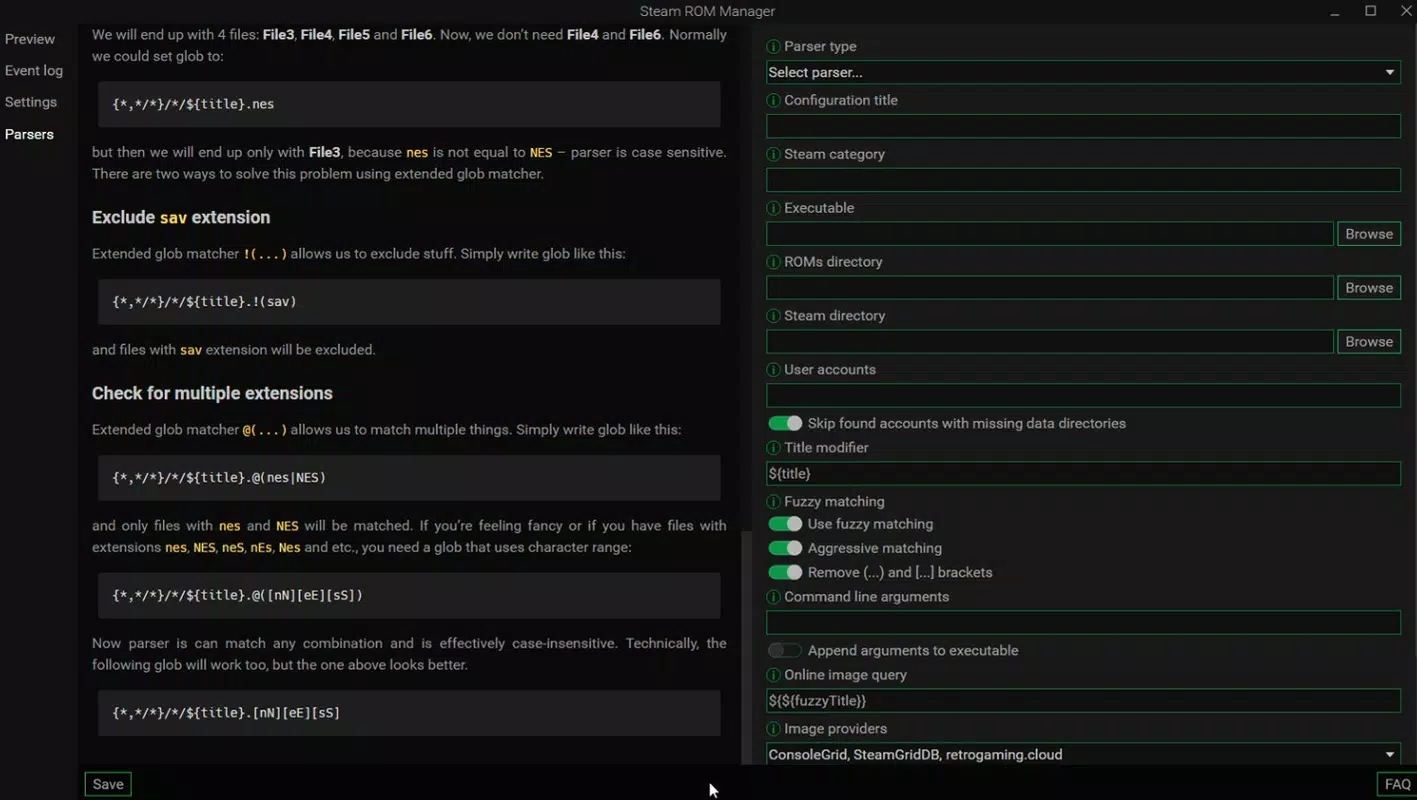
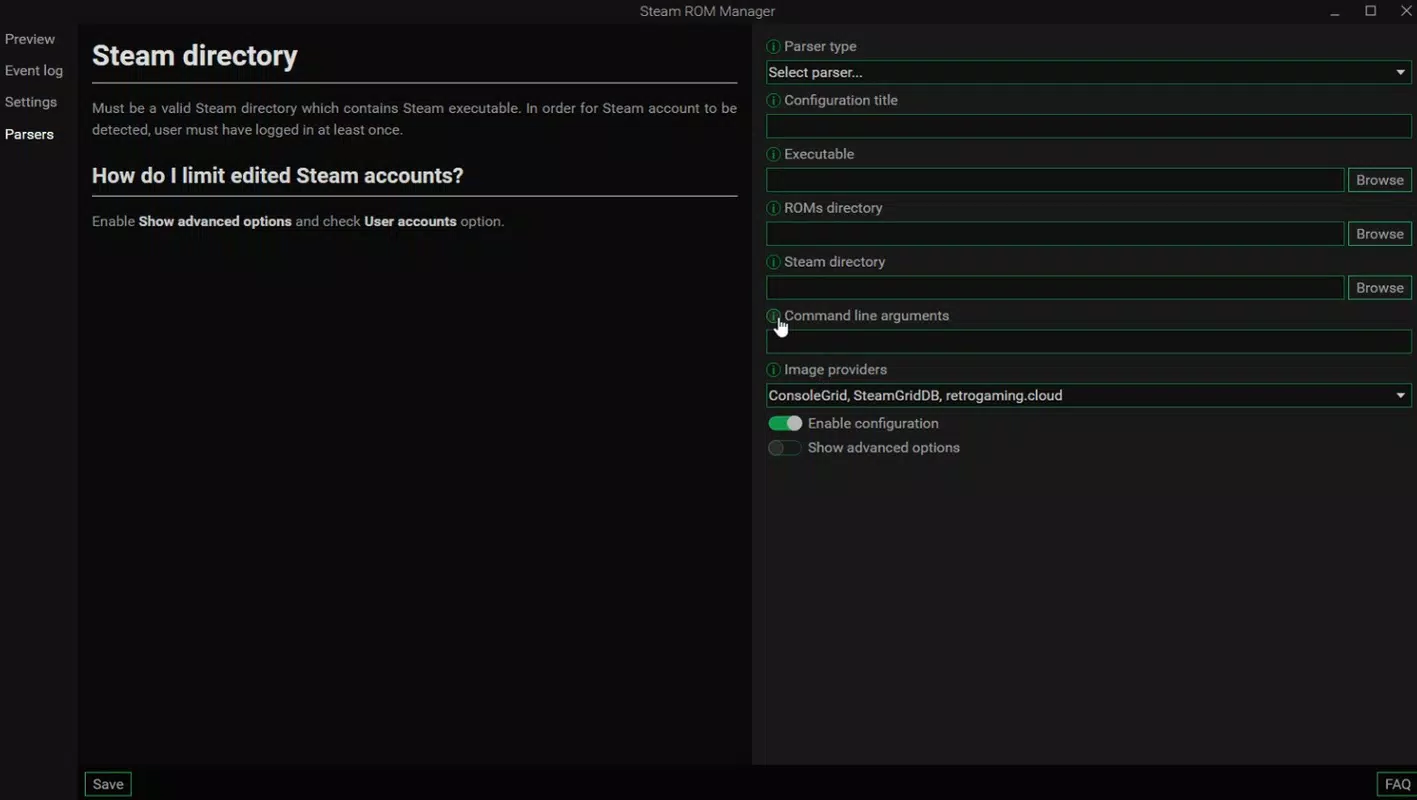
The interface of Steam ROM Manager is designed with functionality and clarity in mind, prioritizing task-oriented workflows over decorative elements. The layout follows a structured, tab-based navigation system that allows users to access key functions such as library setup, import settings, and cover management with minimal clicks. Visual hierarchy is maintained through clear labels, progress indicators during imports, and intuitive form fields, contributing to a smooth user experience.
Navigation is linear and predictable, guiding users through the configuration process in a logical sequence. The application supports drag-and-drop file placement for directories, which enhances ease of use. While the developer did not list formal performance metrics, the tool appears optimized for handling large collections efficiently, with responsive feedback during import operations and minimal resource consumption during idle periods.
Although the developer did not specify minimum OS requirements or compatibility details, the application is built for Windows and is expected to function across modern desktop systems. Stability during long-running imports and robust error handling during file mismatches or missing covers suggest a mature development approach. The absence of reported crashes or freezes in public forums indicates reliable operation under typical usage conditions.
Platform Compatibility & Technical Requirements
Steam ROM Manager is designed for the Windows operating system. The application is available as a downloadable executable file, with no official presence on third-party app stores. The file size is approximately 12.4 MB, indicating a lightweight footprint suitable for most desktop environments. The software version is 1.2.0, released on November 6, 2024.
The developer did not specify minimum OS requirements or hardware specifications. Compatibility information was not fully disclosed, and no details were provided about support for specific Windows versions beyond the general platform. Users are advised to ensure their system meets standard Windows execution requirements for running third-party applications.
Pros and Cons
Pros
- Efficient bulk import of ROMs and emulator games into Steam library
- Customizable categorization with support for user-defined parsers
- Automatic game cover fetching improves visual organization
- Open-source nature enables transparency and community contributions
- User-friendly setup process despite advanced functionality
Cons
- Platform limited to Windows; no support for macOS or Linux
- Developer did not provide detailed system requirements
- May require manual configuration for non-standard ROM file structures
- Not available through official app stores, requiring direct download
- Community support may vary depending on user engagement levels
FAQ
Is Steam ROM Manager safe to download and use?
Yes, the application is open-source and available via trusted developer channels. As with any third-party tool, users should ensure they download from official sources and scan files with up-to-date antivirus software.
Can I use Steam ROM Manager with my existing Steam library?
Yes, the app is designed to integrate with your current Steam library. It adds external games as non-Steam entries while maintaining compatibility with Steam’s interface and launch system.
Does Steam ROM Manager require Steam to be installed?
Yes, Steam must be installed and running on your system for the application to function properly, as it relies on Steam’s library structure and launch mechanisms.
Is the app updated regularly?
Yes, the latest version was released on November 6, 2024. The open-source model encourages ongoing development and community contributions, suggesting regular updates and improvements.
Can I modify the app’s code or add new features?
Yes, as an open-source tool, users are free to view, modify, and extend the source code according to their needs. This fosters innovation and customization beyond the default functionality.
Final Thoughts
Steam ROM Manager stands out as a powerful, practical utility for Windows users aiming to unify their Steam and emulator game collections. Its combination of bulk import, customizable organization, and automatic visual enhancements delivers real value to retro gaming enthusiasts and digital collectors. While it is limited to Windows and lacks official app store distribution, its open-source nature ensures transparency, adaptability, and long-term viability. For those managing large game libraries and seeking a seamless integration with Steam, this tool offers a compelling solution. Despite its niche focus, its efficiency and user-centric design make it a standout in the productivity and utility space.
Download Steam ROM Manager now


